
eForm Instructions for Application for Program Transfer
eForm Instructions for Application for Program Transfer
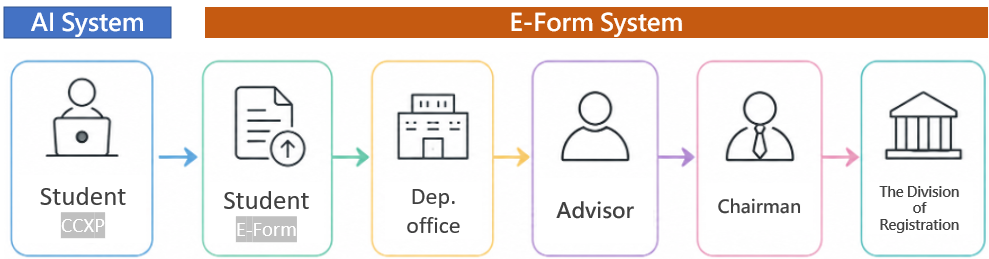
| AI System (CCXP) |
Student
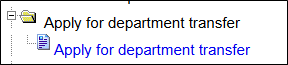
Log in Academic Information Systems→click “Apply for department transfer”
student may select up to two choices (undergraduate students only), and at least one preference must be selected.
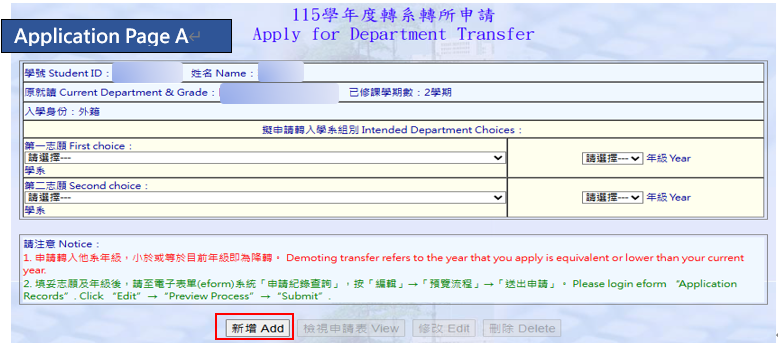
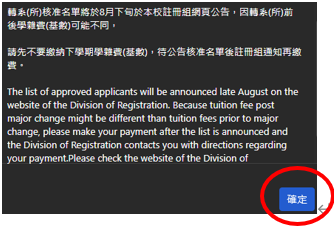
Click “Add”. a pop-up window will appear. click “確定.”
There are two statuses:
(1) Pending Submission:click Forward to E-Form, and go to check the approval status.
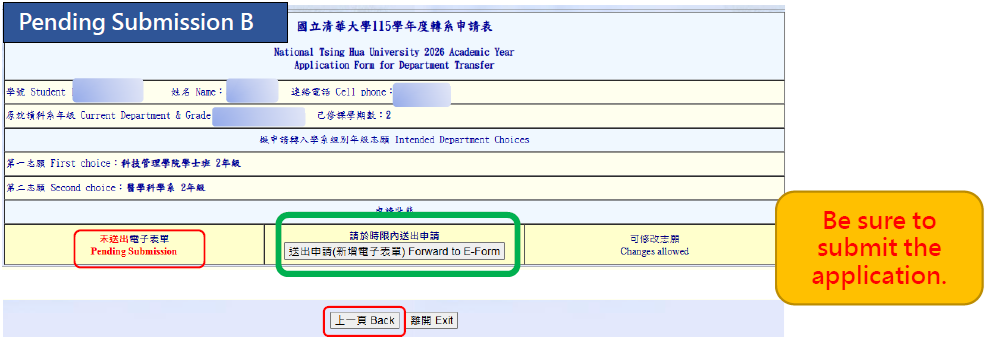
If any information is entered incorrectly, click “Back” to return to the application page and edit it.
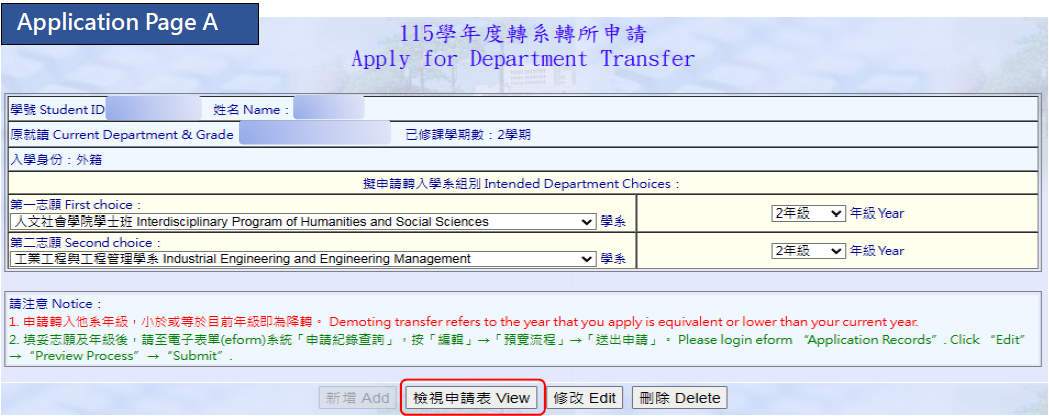
檢視申請表View:Return to the page before submitting the electronic form.
修改Edit:After changing the preference order, click “Edit” to update the choices.
刪除Delete:Delete the current form and return to the application page to fill it out again.
Please make sure all information is correct before submission.
Once the application has been submitted to the Electronic Form System, the choice cannot be changed.
(2)Form Submitted:Please go to the E-Form System to check the approval status.
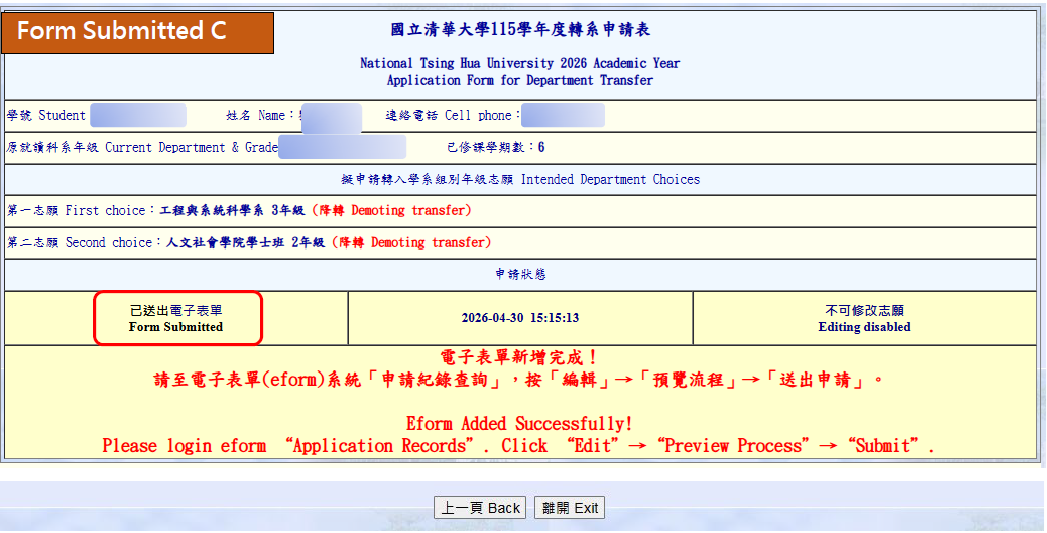
The application choice can’t be changed.
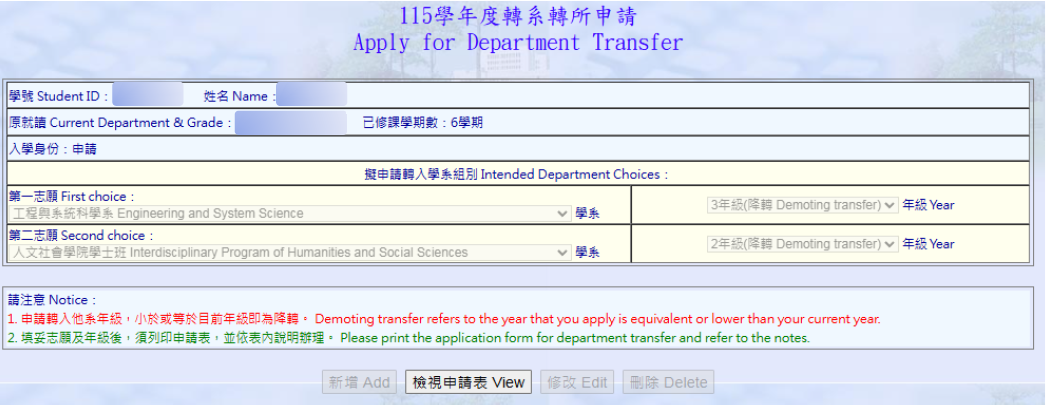
Please go to the E-Form System to check the approval status.
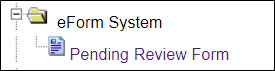
| E-Form |
Login E-Form system→click “Application Records”→select form name→EDIT
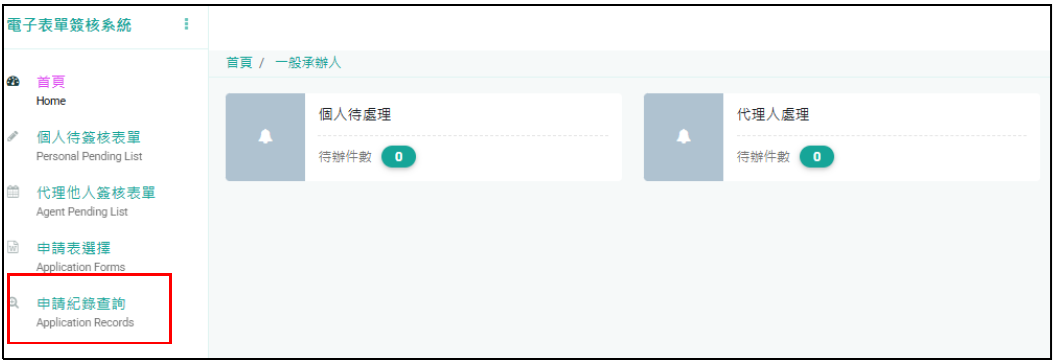
→select form name→EDIT

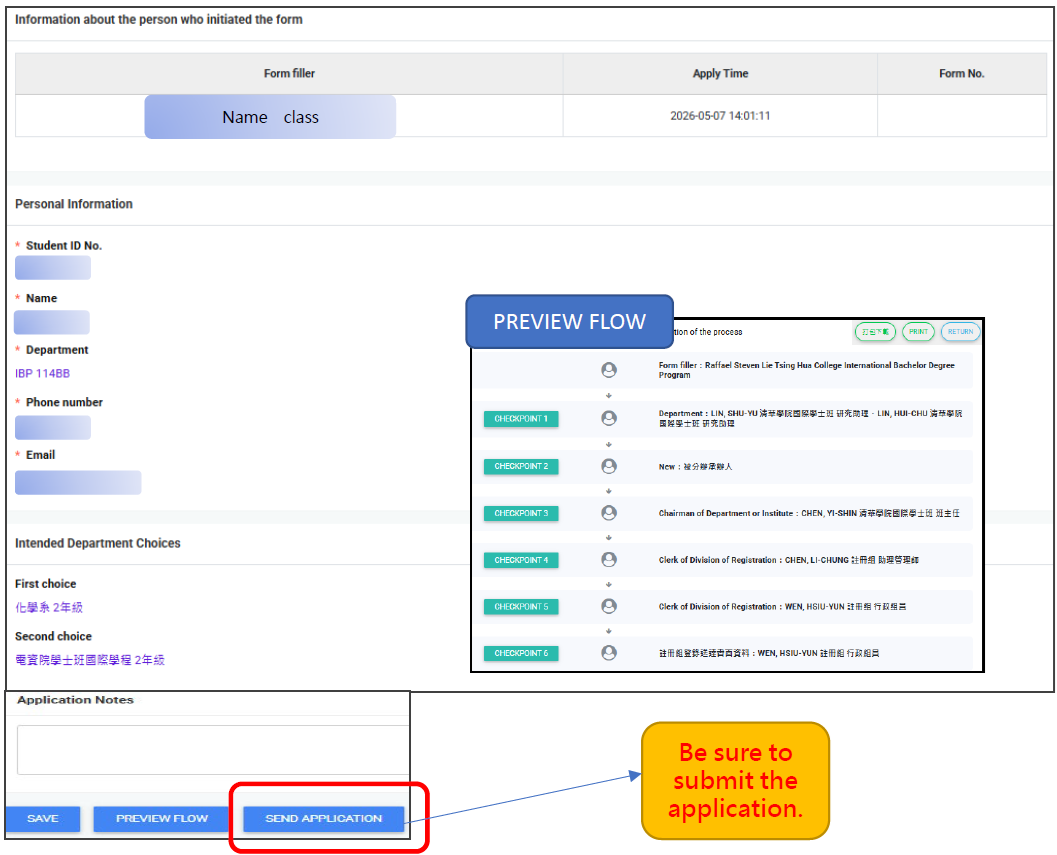
After submit the application, you may go to Application Records to check the approval stages of the form.
If the application is rejected at any stage (stages that may return the form to the initiator include: Department Office, Advisor, Department Chair),
please go to “Application Records”

View瀏覽:View the reason for rejection.
Cancel the application撤回申請:login AI System(CCXP)→ Apply for department transfer → Reconfirm the choices and resubmit.。(A new application number)
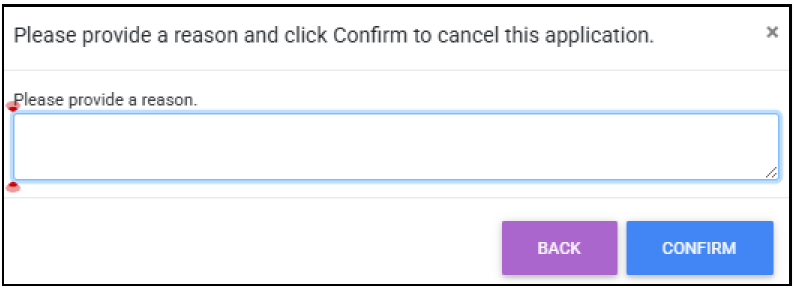
Please make sure to select and submit the new form for approval.
